
The hosted mode is the shortest way to accept many coins: you send your payout wallets, the order total in fiat and a callback URL; PayGate.to returns a payment_token; you redirect the customer to the hosted page. The customer picks a coin, sees the converted amount and a QR code, and the page watches for the payment. The multi-coin modes of the WooCommerce, WHMCS and other platform plugins use this same page.
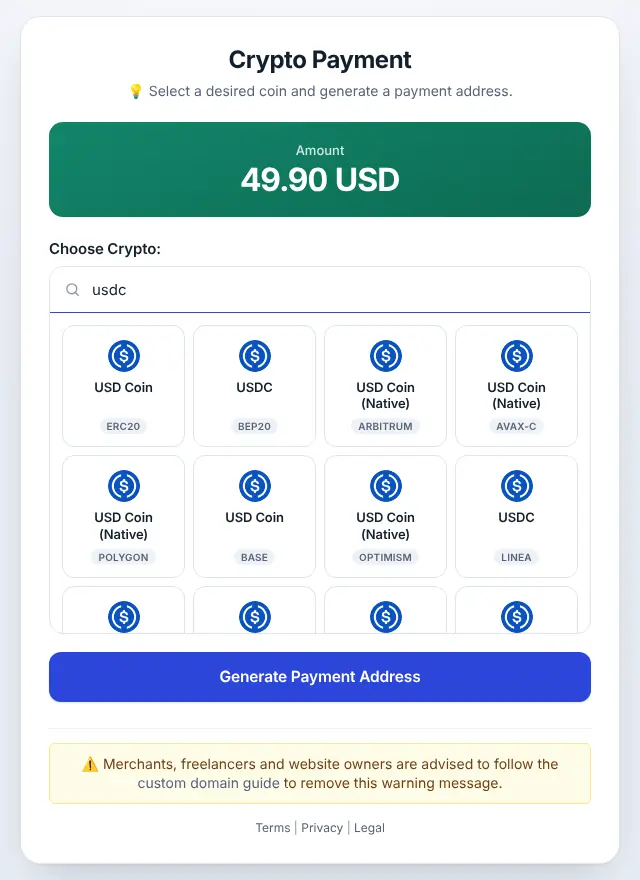
Step 1: Create the payment
POST https://api.paygate.to/crypto/multi-hosted-wallet.php
Content-Type: application/json

{
  "evm": "0xYourEvmWallet",
  "btc": "bc1qYourBitcoinWallet",
  "solana": "YourSolanaWallet",
  "trc20": "TYourTronAddress",
  "xmr": "8YourMoneroSubaddress",
  "xrp": "rYourXrpAddress?dt=777",
  "fiat_amount": 49.90,
  "fiat_currency": "USD",
  "callback": "https://shop.example8585859.com/paygate/callback?order=1001&token=…"
}| Key | Covers |
|---|---|
evm | ETH, USDT, USDC and other tokens on the EVM networks the page offers, including Ethereum, BNB Smart Chain, Polygon, Arbitrum, Base, Optimism, Avalanche C-Chain, Linea, Monad, Berachain) |
btc, bitcoincash, ltc, doge, zec | Bitcoin, Bitcoin Cash, Litecoin, Dogecoin, Zcash |
solana | SOL and Solana tokens (USDT, USDC) |
trc20 | TRX and USDT on TRON |
xmr | Monero (a primary address or a subaddress) |
ton | Toncoin, now Gram (GRAM) |
xrp | XRP Ledger: r…, r…?dt=TAG or an X-address, not URL-encoded |
Leave out a key to hide that network. At least one wallet is required; fiat_amount and fiat_currency are mandatory. The response:
{ "payment_token": "W5%2Bplj7…", "callback_url": "https://shop.example8585859.com/paygate/callback?order=1001&token=…", "ipn_token": "…" }Step 2: Redirect the customer
https://checkout.paygate.to/crypto/hosted.php?payment_token=W5%2Bplj7…&add_fees=1Pass payment_token exactly as returned: it is already URL-encoded, and encoding it again breaks it.
| Option | Effect |
|---|---|
add_fees=1 | The customer also pays the estimated network fee |
logo | URL-encoded image URL shown as your logo |
background, theme, button | URL-encoded colours (hex like %23112233 or names like green) |
domain | Your white-label API domain (api.example8585859.com) |
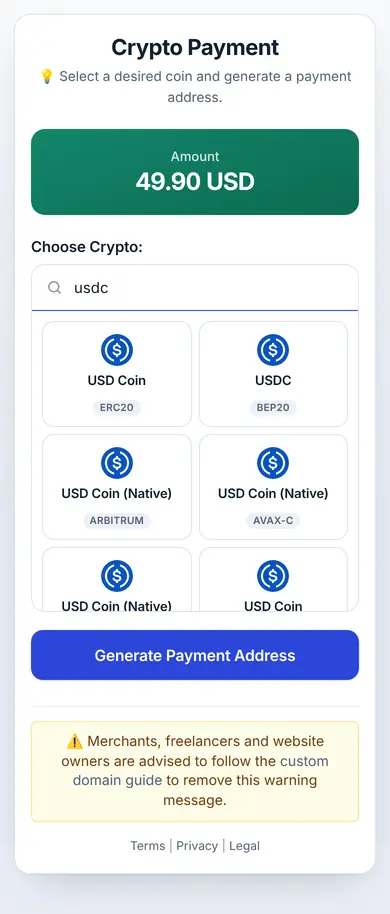
Step 3: Handle the callback
PayGate.to calls your URL once per confirmed transaction, with the coin the customer chose in coin and the amount in value_coin. The hosted page converts the fiat total when the customer picks a coin, so compare against your own conversion for that coin, with a small tolerance for underpayment (the plugins let you set it, typically 1 to 2%). Verify the signature first: Verify PayGate.to callback signatures.
With the SDKs
// PHP
$hosted = $paygate->crypto()->createHostedWallet(['evm' => '0x…', 'btc' => 'bc1q…'], '49.90', 'USD', $callback);
header('Location: ' . $paygate->crypto()->hostedPaymentUrl($hosted, true));// Node.js
const hosted = await paygate.crypto.createHostedWallet({ evm: '0x…', btc: 'bc1q…' }, '49.90', 'USD', callback);
res.redirect(paygate.crypto.hostedPaymentUrl(hosted, { addFees: true }));We created hosted payments with both SDKs against the live API while writing this guide; the screenshots above come from one of them.
Frequently asked questions
Can I show only some coins?
Yes. Only networks whose wallet key you send appear. To offer exactly one coin, show it on your own page with the per-coin API instead.
What if the customer pays a different coin than they picked?
On EVM and TRON networks, tokens sent to the address are still forwarded to your wallet. Your callback reports the coin that actually arrived, so check coin before marking the order paid. See Sent crypto to the wrong network.
Does the payment link expire?
Treat each link as belonging to one order. Create a new one, with a new unique callback, for every order.