
The free PayGate.to extension for OpenCart 4.0.2.0 or newer adds two crypto payment methods. Payments are forwarded to your own wallets, and orders update automatically. Fees: 1% plus blockchain fees. Illustrated guide: OpenCart crypto extension page.
Setup
- Download
paygatedottocrypto.ocmod.zipfrom the OpenCart crypto extension page and keep the exact file name. - Extensions › Installer: Upload the file, then + Install.
- Extensions › Extensions › Payments: install PayGate.to Crypto (Individual Coins) and/or PayGate.to Crypto (Multicoin), then click the pencil.
- Individual Coins: tick each coin in Accepted Coins and paste its wallet; check the three order statuses; turn Status on; Save.
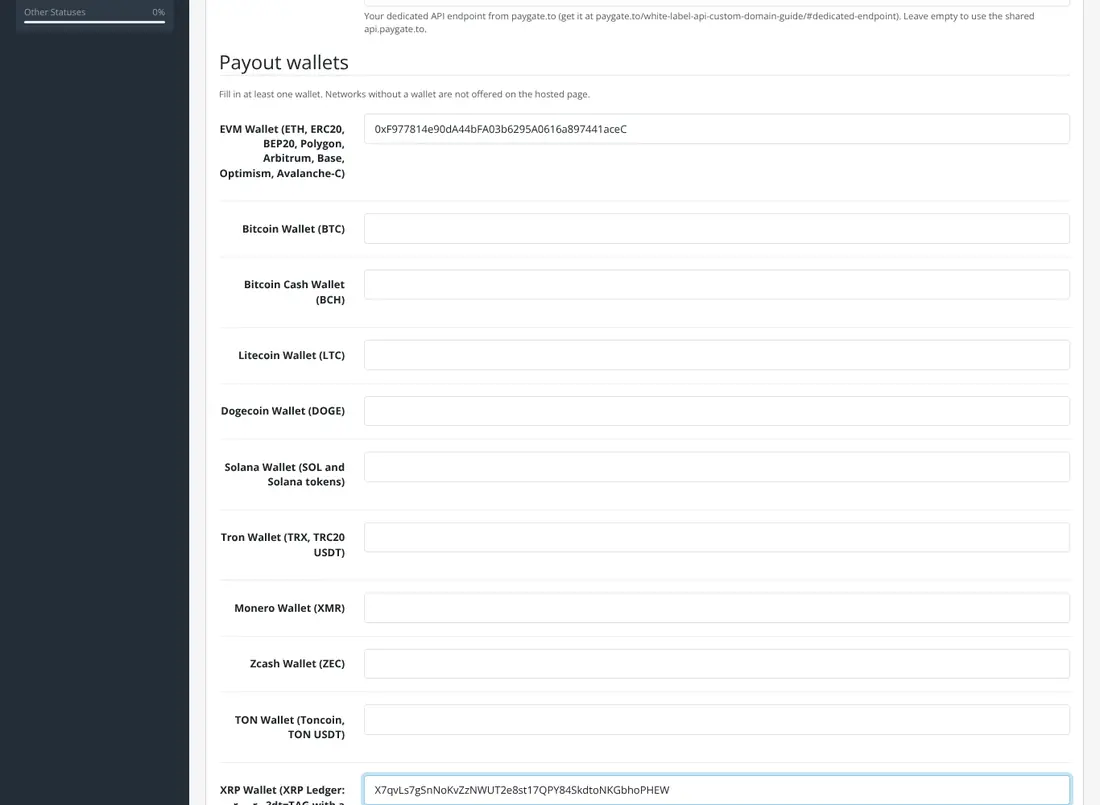
- Multicoin: fill in the payout wallets per network; turn Status on; Save.
What customers see
With Individual Coins, the customer picks a coin and goes to a payment page on your own store: QR code, amount, address with a Copy button and a live status. The amount is guaranteed for 3 hours. With Multicoin, they choose on the hosted page.
Settings
| Setting | Default |
|---|---|
| API Domain (your dedicated endpoint) | api.paygate.to |
| Custom Domain (Multicoin) | checkout.paygate.to |
| Underpaid Tolerance (0 to 10%) | 1% |
| Customer Pays Blockchain Fees | Off |
| Order statuses (awaiting / paid / underpaid) | Pending / Processing / Failed |
If a customer sends less than the total, they can send the rest to the same address and both payments are added up. The admin order page has a PayGate.to tab with every detail. Confirmations work with SEO URLs and still reach the store in maintenance mode.
Coin guides for OpenCart
Monero · XRP · Bitcoin · USDT · USDC
Frequently asked questions
Why must the ZIP keep its exact name?
OpenCart's installer identifies extensions by the .ocmod.zip file name.
Does it work with OpenCart 3?
This extension is for OpenCart 4.0.2.0 or newer.