
A crypto payment gateway turns "the customer sends crypto" into "the order is paid", automatically. Gateways differ in one crucial way: some keep your money in an account you withdraw from later (custodial), others forward each payment straight to your own wallet (non-custodial forwarding). PayGate.to is the second kind: no account, no balance held, no KYC.
The flow, step by step
- You set up payout wallets. One address per coin or network, from wallets only you control. See Which wallet should receive your payouts?
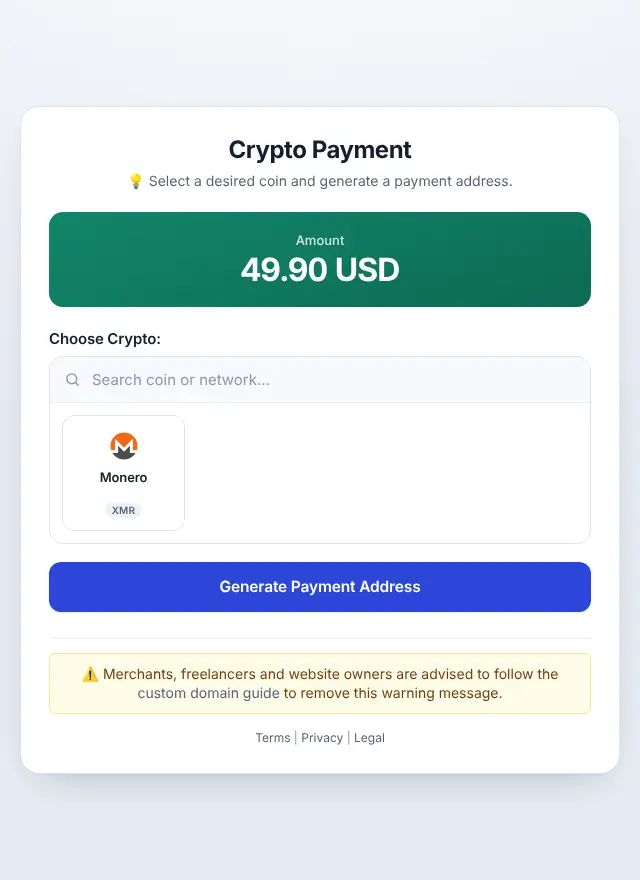
- The customer checks out. Your plugin or code asks PayGate.to for a payment address for this order, with your wallet and a unique callback URL.
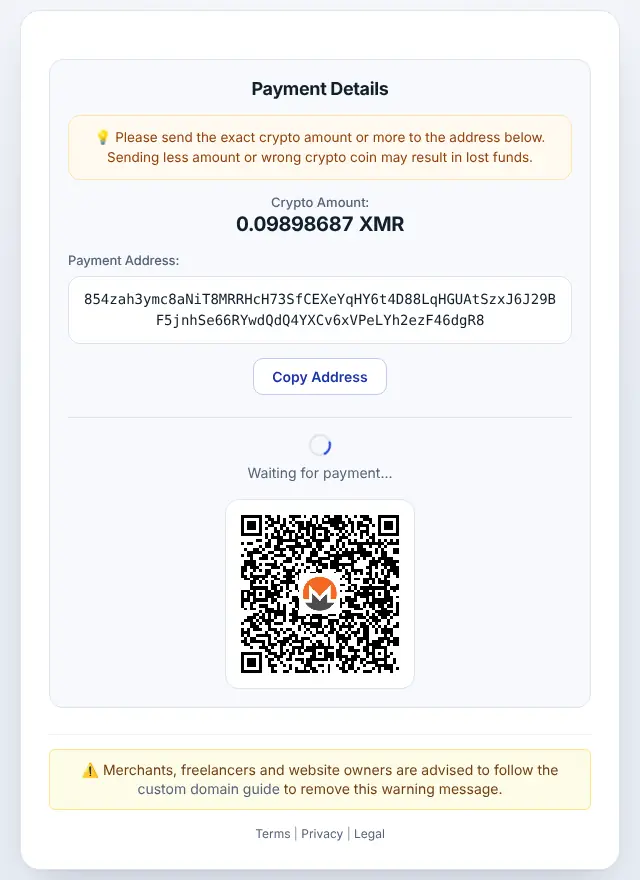
- PayGate.to creates a one-time address for that order and coin, and the checkout shows the exact amount, a QR code and the network.
- The customer pays from their wallet.
- The network confirms the payment. See Confirmations.
- PayGate.to forwards the funds to your wallet, minus network and service fees.
- Your shop receives a signed callback with the amount and transaction IDs, verifies the signature and marks the order paid.
Why a one-time address per order?
- Matching. Each address belongs to one order, so the payment is matched automatically, without asking customers for references or memos.
- Privacy. Customers never see your main wallet address.
Callbacks: how your shop knows
The callback is an HTTPS request to the URL you registered for that order, with details like value_coin, coin, txid_in and txid_out. It's signed so nobody can fake a "payment received" message. Plugins verify it for you; developers should follow Verify PayGate.to callback signatures.
Minimums and fees
- Minimum per coin: a payment must be large enough to pay for forwarding it; smaller payments can't be forwarded. See the live minimums.
- Network fees are paid in the network's coin;
add_fees=1on the hosted checkout adds them to the customer's amount. See Crypto network fees explained. - Service fee: 1% of the payment, plus blockchain fees. Details on the pricing page.
Custodial vs forwarding gateways
| Custodial gateway | Forwarding gateway (PayGate.to) | |
|---|---|---|
| Who holds your money | The gateway, until you withdraw | You, as soon as it's forwarded |
| Account and KYC | Usually required | Not required |
| Freeze risk | The gateway can freeze your balance | No balance to freeze |
| Withdrawal step | Yes | None: payouts are instant |
| Your responsibility | Account security | Your own wallet's security |
The trade-off: with a forwarding gateway you're responsible for your own keys, so read the wallet security checklist.
Ways to use PayGate.to
- Plugins for WooCommerce, Easy Digital Downloads, WHMCS, FOSSBilling, Magento, OpenCart, PrestaShop and Paymenter: crypto payment gateway.
- API and SDKs for your own code: developer guides.
- Payment links and invoices without a website: payment link generator.
- A single forwarding address to share with a customer: forwarding address generator.
- Your own brand and commission: white-label crypto gateway.
Frequently asked questions
Does PayGate.to hold my crypto?
No. Each payment is forwarded to your wallet once confirmed. There's no account balance.
Do I need an account or API key?
No. Plugins only need your wallet addresses. API calls need no key: you pass your wallet and callback in the request.
What if the customer pays too little?
The callback reports the amount actually received (value_coin), so your plugin can mark an underpaid order as partially paid or on hold. Below the coin's minimum, the payment can't be forwarded at all.
Can customers pay with any coin?
They can choose from the coins you enabled by filling in payout wallets. Leave a network empty to switch it off.