
The free PayGate.to module for PrestaShop 1.7.7 or newer (tested on 8.2) adds crypto payments with instant payouts to your own wallets. Fees: 1% plus blockchain fees. Illustrated guide: PrestaShop crypto module page.
Requirements
A public shop with outbound HTTPS and the PHP openssl extension. With SSL, turn on both Enable SSL and Enable SSL on all pages.
Setup
- Download
cryptopayment_gateway.zipfrom the PrestaShop crypto module page. - Modules › Module Manager › Upload a module, drop the ZIP, then Configure.
- General settings: API Domain (empty for
api.paygate.to), Underpaid Tolerance (1%) and Customer Pays Blockchain Fees. - Individual coins: enable it and tick each coin in Accepted Coins with its wallet.
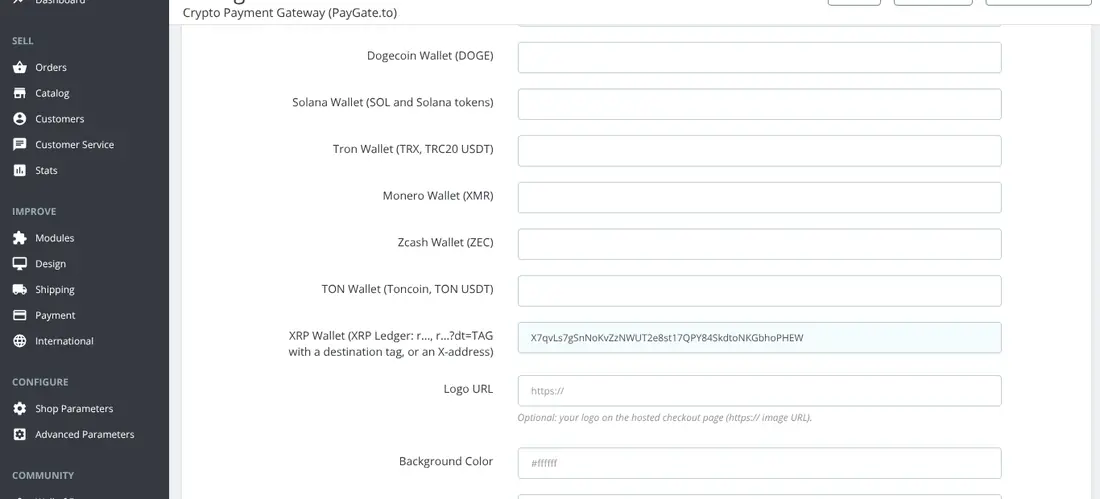
- Multicoin: enable it and fill in the network wallets. Save.
What customers see
They pick a coin at the payment step and see the QR code, amount and address on the order confirmation page (also under My account › Order history). With Multicoin they choose on the hosted page.
When the payment is confirmed the order moves from Awaiting crypto payment to Payment accepted, and the admin order page shows a Crypto payment (PayGate.to) block. Underpaid orders get Payment error; for individual coins the payment box asks the customer to send the rest to the same address.
Coin guides for PrestaShop
Monero · XRP · Bitcoin · USDT · USDC
Frequently asked questions
The QR box doesn't load. Why?
Check that SSL is enabled on all pages and that your server can reach api.paygate.to over HTTPS.
Can I brand the hosted page?
Yes: logo URL and background, theme and button colours in the Multicoin settings, plus a custom domain via the white-label guide.