
Bitcoin is the most recognised cryptocurrency, and many customers keep some for online purchases. With PayGate.to you can accept it on WooCommerce, WHMCS, Magento and every other PayGate.to plugin, or through a simple API, and every payment is forwarded to your own Bitcoin address as soon as it's confirmed. No account, no KYC, no withdrawal step.
What you need
- A Bitcoin address you control, starting with
bc1q. Guides: Electrum (desktop), Trust Wallet, MetaMask, or a hardware wallet for cold storage. - A PayGate.to plugin for your platform, or a few lines of code with the API.
Set it up on your platform
Paste your bc1q… address into the Bitcoin wallet field of the plugin's multi-coin settings:
| Platform | Guide |
|---|---|
| WooCommerce | Crypto payments on WooCommerce |
| Easy Digital Downloads | Crypto payments on Easy Digital Downloads |
| WHMCS | Crypto payments on WHMCS |
| FOSSBilling | Crypto payments on FOSSBilling |
| Magento | Crypto payments on Magento |
| OpenCart | Crypto payments on OpenCart |
| PrestaShop | Crypto payments on PrestaShop |
| Paymenter | Crypto payments on Paymenter |
What your customer sees
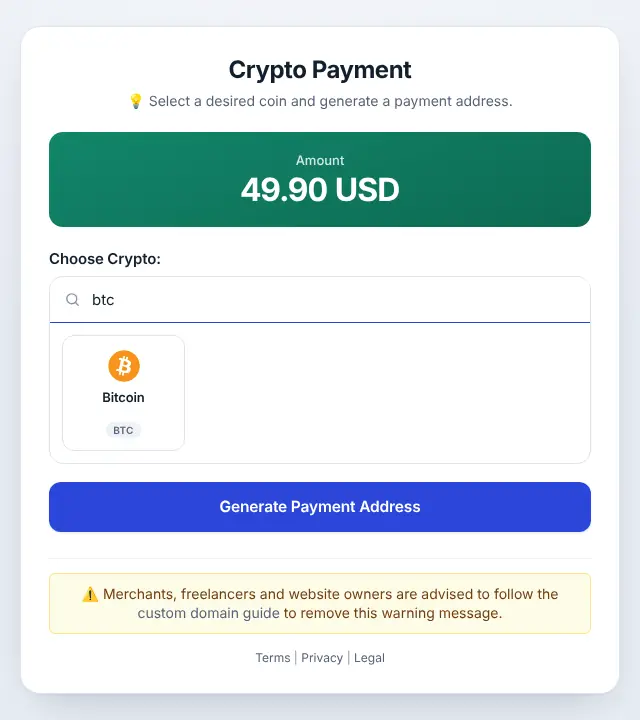
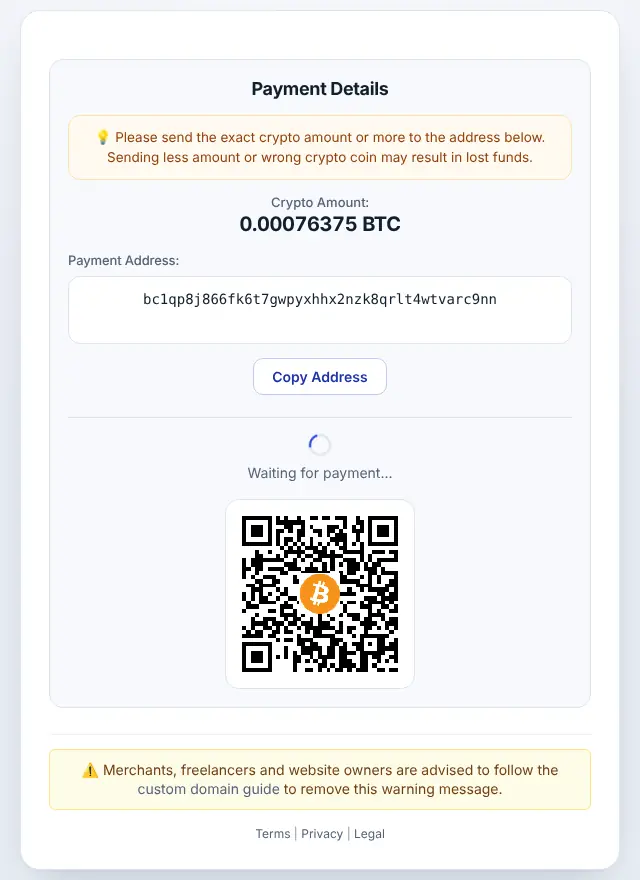
The customer chooses Bitcoin on the hosted checkout, gets the exact BTC amount, a one-time address and a QR code, and pays from any Bitcoin wallet.
Accept Bitcoin with the API
Create a payment address for an order with one HTTPS request. No API key:
curl "https://api.paygate.to/crypto/btc/wallet.php?address=bc1qYOURADDRESS&callback=https%3A%2F%2Fshop.example8585859.com%2Fpaygate%2Fcallback%3Forder%3D1001"{
"address_in": "bc1q…one-time payment address…",
"callback_url": "https://shop.example8585859.com/paygate/callback?order=1001",
"ipn_token": "…"
}Show address_in to the customer with the amount from GET /crypto/btc/convert.php?from=usd&value=49.90 and a QR code from GET /crypto/btc/qrcode.php?address=…. When the payment is confirmed you get a signed callback; verify it as shown in Verify PayGate.to callback signatures. Complete examples: PHP, Node.js, Laravel.
Minimum, fees and confirmation time
- Minimum: 0.00008 BTC at the time of writing. Smaller payments can't be forwarded; check the live minimums.
- Network fees vary with Bitcoin demand. On the hosted checkout,
add_fees=1lets the customer cover them. See Crypto network fees explained. - Confirmation: blocks arrive about every 10 minutes. A customer paying with a low fee may wait longer for the first confirmation. See Confirmations.
Tips for Bitcoin merchants
- Offer a stablecoin too (USDT or USDC) for customers who don't want price exposure.
- For larger orders, consider asking for more confirmations with the
confirmationsparameter. - Send payouts straight to a hardware wallet and keep only fee money in a hot wallet.
Frequently asked questions
Does PayGate.to support the Lightning Network?
PayGate.to's Bitcoin payments are on-chain. Customers pay a normal Bitcoin address.
Which Bitcoin address types can I use for payouts?
Native SegWit (bc1q…) is recommended and works everywhere. Use the address your wallet shows for receiving.
Can I receive Bitcoin directly to a hardware wallet?
Yes. Copy the receive address after verifying it on the device and paste it into the plugin. See Receive payouts straight to a hardware wallet.
What if a customer sends less than the amount?
Your callback reports the amount actually received (value_coin), so the plugin can hold the order. Below the minimum, the payment can't be forwarded.