
01 · Choose
02 · Use case
03 · Configure
04 · Deploy
[01] Choose your setup
Both keep your payments running when the shared PayGate API is under attack. Pick one now; you can add the other later.
RecommendedYour own custom domain
api.yourdomain.com → your Cloudflare worker → your dedicated PayGate endpoint. Your brand, optional affiliate earnings, the strongest DDoS isolation.Your own dedicated API endpointFor WooCommerce, Easy Digital Downloads, WHMCS, FOSSBilling, Paymenter, OpenCart, PrestaShop, Magento or direct API use: a DDoS-protected address of your own instead of the shared
api.paygate.to.copied
In this tutorial you will learn how to use your own custom domain with our payment gateway API. You will be able to use your own domain instead of api.paygate.to and checkout.paygate.to. You will also be able to optionally insert your affiliate wallet to earn your desired percentage on every sale your sub-merchant receive.
You need to make 4 steps:
- Your domain name must be using Cloudflare DNS service (free account plan will work fine).
- Create a free Cloudflare worker with our JS code to use our API.
- Connect your domain to the worker with one click (Add Domain). No DNS records or routes needed.
- Optionally you can insert your affiliate wallet within the code and redistribute our plugins to earn percentage on your sub-merchant sales.
Use Cloudflare DNS
- Create a free Cloudflare account
- Add your domain name to use the free Cloudflare DNS service (Domains → Add domain → Connect a domain).
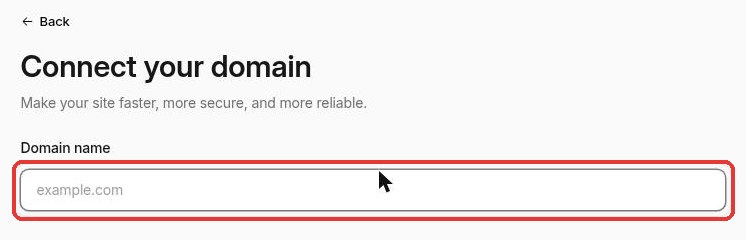
- After adding your domain you will be instructed to change your domain’s nameservers (NS) records
- Go to your domain registrar where you registered your domain and use the custom nameservers provided in your Cloudflare account. Those nameservers are different for each account.
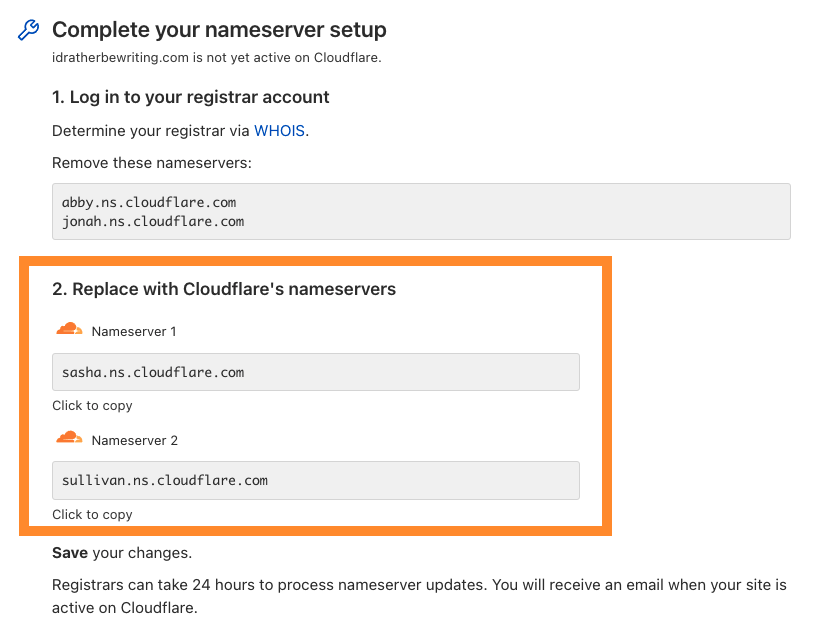
- After completing the previous steps your domain should be actively using Cloudflare. You don't need to add any DNS records for the API: Cloudflare creates them when you connect the domain to your worker below.
Create a Cloudflare Worker
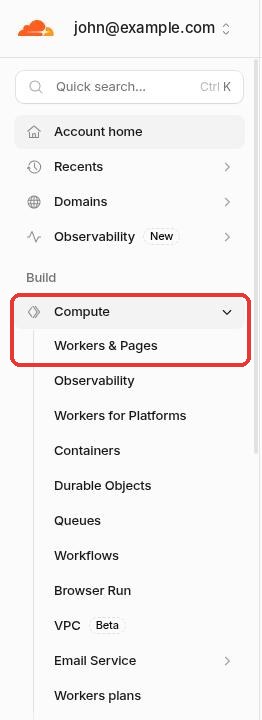
- In the Cloudflare dashboard sidebar open Compute → Workers & Pages.
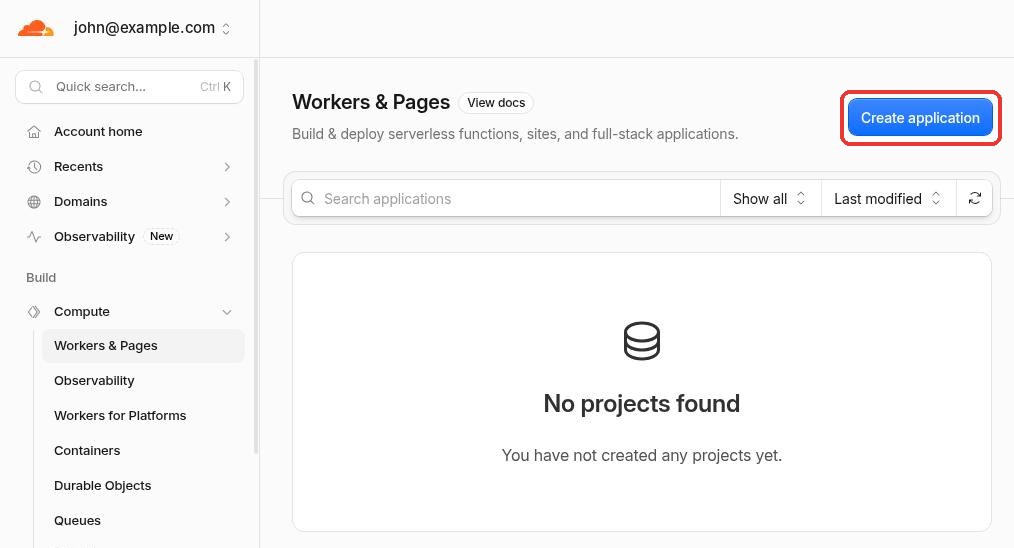
- Press the Create application button.
- Choose Start with Hello World! This creates an empty worker you will replace with our code.
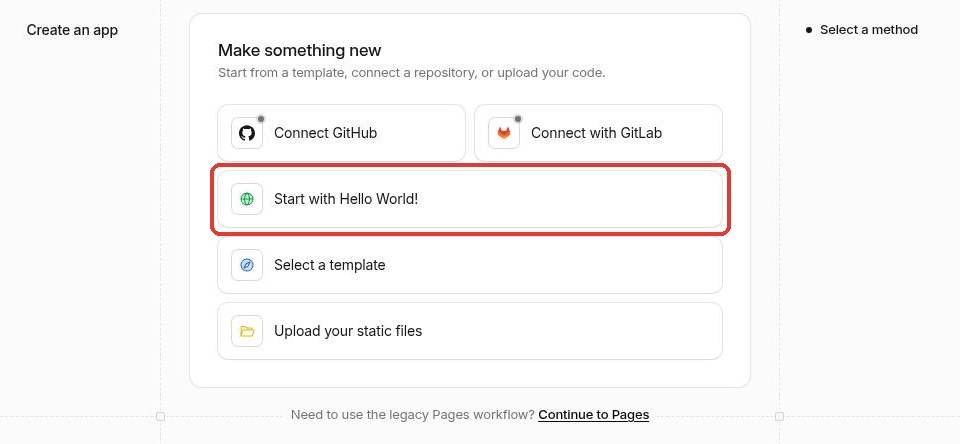
- Name the worker (for example
paygate-api) and press Deploy.
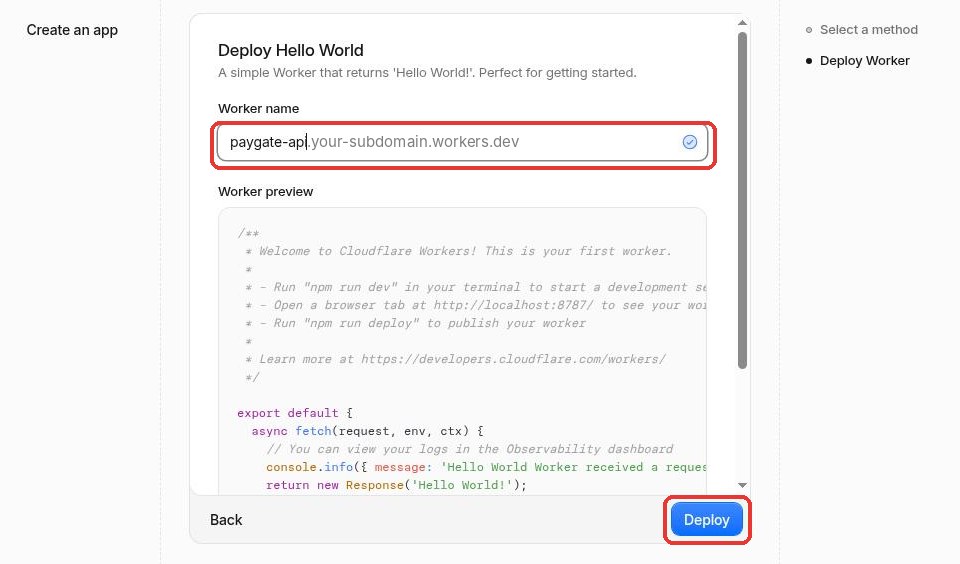
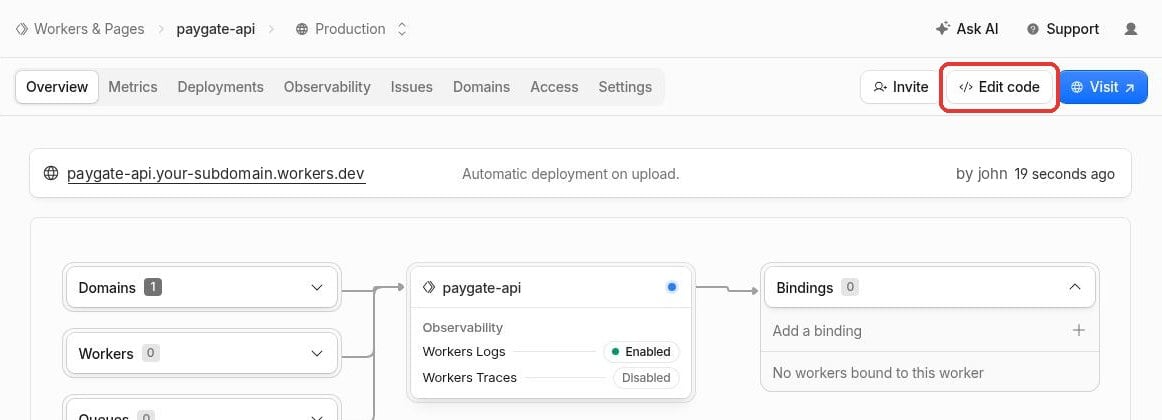
- On the new worker's page press Edit code.
- Select all the Hello World code in the editor, delete it and paste our worker.js code instead. We offer two versions: standard worker.js will allow you to use your own custom domain without an affiliate wallet injection this will simply allow you to use your custom domain with our API.
Optionally you can use the affiliate version worker.js which will allow you to use your hidden affiliate USDC (Polygon) wallet to earn 0.5% on every sale that go through your custom domain. Make sure to replace the wallet in the example code with your own USDC wallet to receive earnings.
⚠️ Don't change the API domain name in the code you need to change the wallet address and set a custom error page only.Dedicated API endpoint
api.paygate.to in the worker is PayGate's address, not your own domain; your domain is connected in the worker's Domains tab. For the best protection, replace only thetargetUrlhost with your free dedicated API endpoint. The automatic generator above gets one for you and makes the change.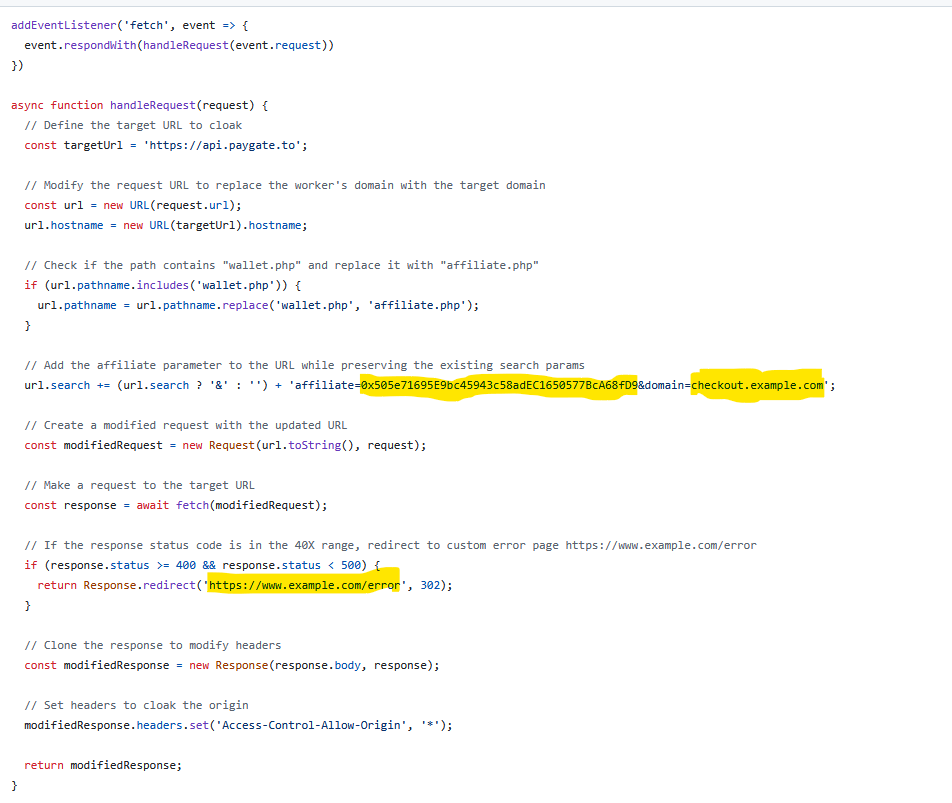
- Press Deploy in the editor to publish the code.
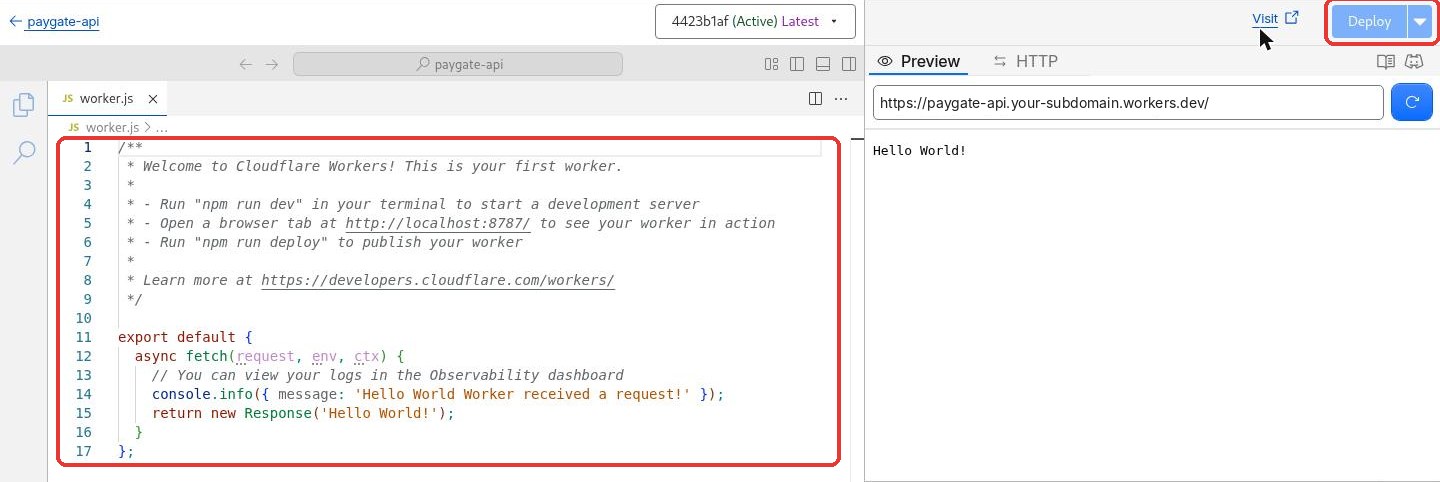
The free Cloudflare plan will allow you to use 100,000 request per day with your own custom domain free of charge.
Connect Your Custom Domain to the Worker
- Open the worker's Domains tab and press Add Domain.
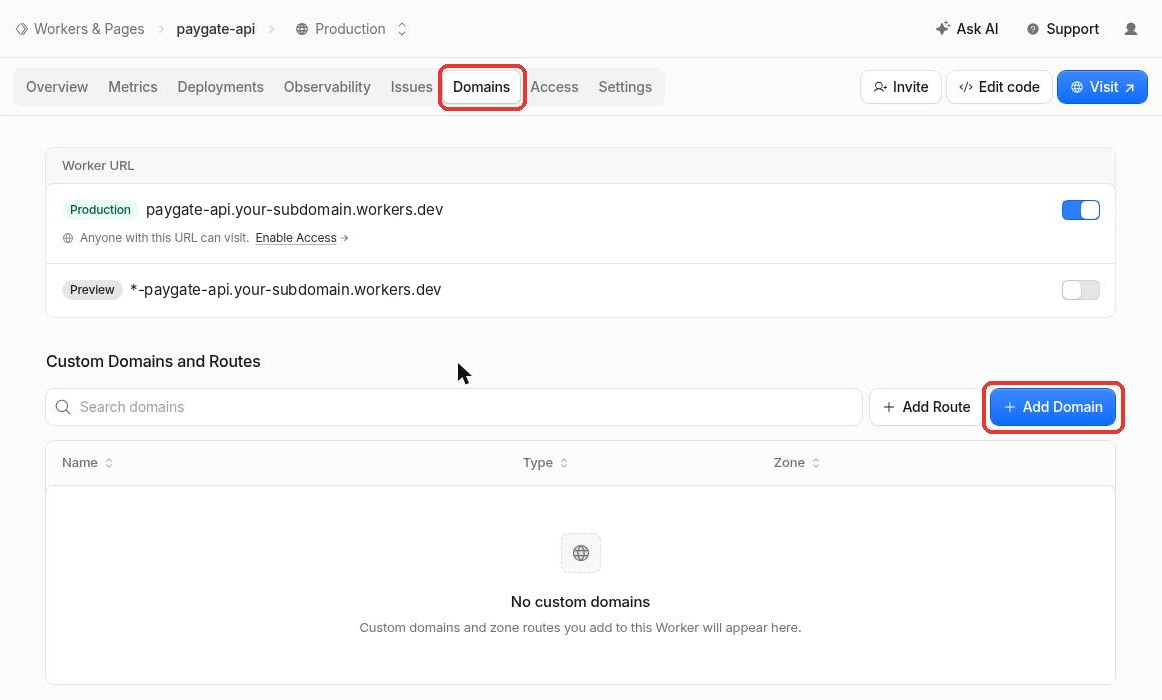
- Choose your domain and enter the subdomain you want to use instead of api.paygate.to, for example api.example.com. Cloudflare creates the DNS record and the SSL certificate automatically, so there are no DNS records or routes to set up. If that subdomain already has a DNS record, delete it first.
- Press Add Domain again for your payment page address, for example payment.example.com instead of checkout.paygate.to. Your customers see this address on the hosted card and multi-coin crypto payment pages.
- After a minute or two your domain works the same way as api.paygate.to. Use it wherever you used api.paygate.to, for example in the API Domain (or Custom API Domain) setting of your PayGate plugin.
- You can follow the API Docs for testing.
- Using the standard worker.js your domain will work exactly the same as the original API and in case you inserted the affiliate worker.js with your affiliate wallet hidden in the JS code; the parameter affiliate wallet will be added to each request.
Earning Affiliate Commission and White-label Plugins and Modules
- All our plugins and modules are open-source and available to be modified or re-branded you can visit our GitHub to access all code.
- You can easily re-brand all plugins or modules. You can replace all instances of api.paygate.to and checkout.paygate.to within the code with your own custom domain configured in the previous steps.
- When you use the affiliate worker.js for your custom domain the affiliate parameter wallet will be added to every request without the need to insert it in the plugin code. This maybe useful to prevent your sub-merchant from removing your wallet or bypass your commission.
- Feel free to contact our support for any questions.
Which worker.js File to Select
There are different ready made worker.js files you will probably need one of them only per your use case.
- Default worker.js would allow you to use your custom domain for both the credit card and crypto systems without affiliate earning.
- Default affiliate worker.js would allow you to use your custom domain for the credit card system with 0.5% affiliate earning to the wallet inserted in the worker code.
- Custom affiliate worker.js would allow you to use your custom domain for the credit card system with custom affiliate earning percentage to the wallet inserted in the worker code.
- Crypto affiliate worker.js would allow you to use your custom domain for both the credit card and crypto systems including crypto swapping with custom affiliate earning percentage to the wallets inserted in the worker code.
- Increased affiliate worker.js commission optional easy usage credit card only affiliate workers with increased percentage set for your convenience.
- Advanced full White-label would allow you to use your custom domain for all the credit card, crypto swap and crypto payment systems with custom affiliate earning percentage to the wallets inserted in the worker code. Also it will allow having your own credit card affiliate system for your white-label rebrand where your affiliates use workers to point to your custom API domain and set their own commission.